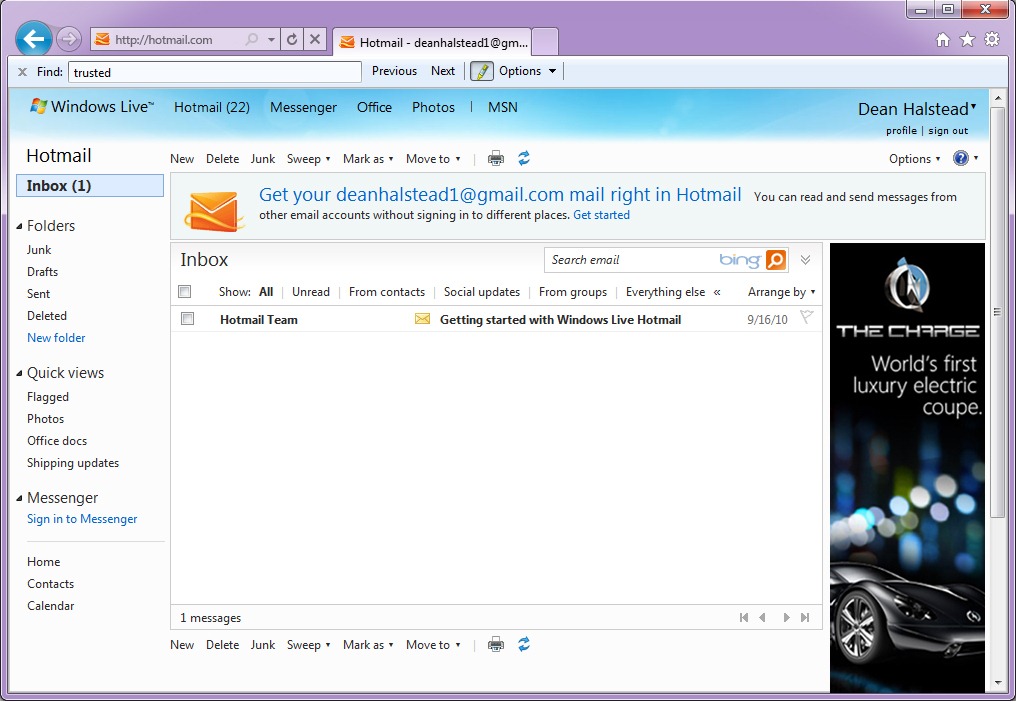
Microsoft is moving all of its Hotmail users to Outlook.com by this
summer. Here's what the hundreds of millions still using Hotmail need to
know about the transition.
Microsoft announced earlier this week that it is closing Hotmail and moving the
"hundreds of millions" still using it to Outlook.com by this summer.
The move isn't unexpected, but perhaps more sudden than some
anticipated. Hotmail users, once they move (or are moved) will get
Outlook.com's clean, Metro-Style interface for their mail -- and
ultimately, calendars. (For a walk-through of the UI changes Hotmail
users will see, check out
this Microsoft FAQ.)
Given that many of the new features in Outlook.com -- Microsoft's new Web-mail service that is
no longer in "preview," as of this week -- are
already part of Hotmail, the Outlook.com experience (beyond the UI itself) shouldn't be too jarringly different.
Microsoft provided guidance last summer
for those who wanted to proactively make the Hotmail-to-Outlook.com
move. There's not much required on users' parts to make this happen. But
some users still have questions. And different folks around the Web
have answers.
Q: How much warning do users get before Microsoft move an existing Hotmail account to Outlook.com?
A: There will be several e-mails first prompting people to upgrade on their own.
Q: If I move my Hotmail account to an Outlook.com account, can I change my mind and go back?
A: At this point, no. (When Outlook.com was still in "preview," Microsoft did allow this.)
Q: What happens to all my stored Hotmail once I am moved off Hotmail to Outlook.com?
A: Everything moves over. If you click the upgrade
button it takes maybe a few seconds, but all your existing messages
auto-populate and carry over.
Q: Which browsers support Outlook.com?
A: Outlook.com is optimized for
Internet Explorer 8, 9 and 10; Google Chrome 17 and higher; Firefox 10
and higher; Safari 5.1 on Mac. It also works relatively well on IE 7,
Google Chrome 16 and 5; Firefox 9 and 5; Safari 5.1 on Windows and
Safari 5 on Windows and Mac. It doesn't work at all on IE 6 and older;
Google Chrome 4 and older; Firefox 4 and older; and Safari 4.X and
older.
Q: What happens if my Microsoft ID/Windows Live ID is tied to Hotmail? Do I have to get a new one and change my accounts?
A: No. If you use an @hotmail.com, @msn.com or @live.com e-mail address as your Microsoft account,
you can keep it, even after Hotmail is shuttered.
"Think of this the same way as you would changing your mobile phone
carrier. You are simply moving to a better service, but your 'number'
(in this case your Microsoft account and email address) stays the same,"
a Microsoft spokesperson explained.
Q: I already created a separate, new Outlook.com account. So
once my existing Hotmail account is moved to Outlook.com, what happens?
Will my two Outlook.com accounts be merged?
A: There is
no way to actually "merge" these accounts.
But you can connect these two accounts and then toggle back and forth
by linking them. To do this, go to account settings and select the
permissions tab. Click on "manage linked accounts."
Q: Users are being allowed to keep their Hotmail addresses if
they want. Wasn’t a big part of creating Outlook.com a plan to get rid
of the tired/tainted Hotmail brand?
A: "The simple fact is that many people are attached
to their email address. We do expect a certain number to want a new
Outlook.com address (which is great); others will want to keep their
Hotmail address. Either is fine since they will all get to use the new
service," a Microsoft spokesperson confirmed.
Q: When will Microsoft update the calendar in Outlook.com so that it is Metro-Style, instead of Hotmail-Style?
A: Microsoft officials aren't saying anything other than
what they've said since summer 2012, which is "soon."
Q: When will Outlook.com be integrated with Skype?
A: Also "soon." No further word from the Softies on the timing.
Read this full story here: http://www.zdnet.com/microsofts-hotmail-phase-out-whats-a-user-to-do-7000011688/
For more information on anything you have read please contact the IT Support Glasgow experts at Click Networks email
info@clicknetworks.co.uk or visit our website
http://www.clicknetworks.co.uk

 It is secure, anywhere access to email and calendars, Office Web Apps,
instant messaging, conferencing, and file sharing. See how Office 365
makes easy to communicate, create, and share in the cloud.
It is secure, anywhere access to email and calendars, Office Web Apps,
instant messaging, conferencing, and file sharing. See how Office 365
makes easy to communicate, create, and share in the cloud.