Click Networks - IT Support Glasgow

Click Networks - IT Support Glasgow
Showing posts with label security. Show all posts

Monday, 28 October 2013

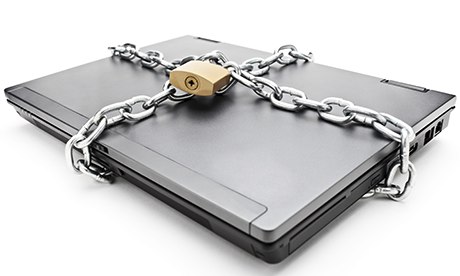
Precautions against CyptoLocker and other malware attacks!

What can you do to prevent cybercriminals locking all your personal files and demanding money to free them?
 
A few sensible precautions will help minimise the chances of a CrytoLocker attack. So what are our top tips?

Back up your files. If you use an external hard drive, don't leave it connected to your PC unless you are backing up. Alternatively, pay for an online back-up service – but bear in mind you may still be vulnerable if your backed-up files are mapped as a network drive. Check with your provider if you are unsure.

Create files in the Cloud and upload photos to online accounts like Flickr or Picasa.

Switch to a spam- and virus-filtered email service. Google Mail, for example, does not allow you to receive or send executable files (that can install viruses) as email attachments, even if they are hidden in zip files. (It also does not allow you to send them).

Don't go to online porn sites, which are often the source of malware downloads. Take care when clicking on adverts; never open Twitter links and attachments from people you don't know or trust.

Make sure your operating system is up-to-date with the latest security.

Install the latest versions of your internet browsers and update add-ons such as Java and Adobe Flash.

Get reputable anti-virus software and ensure you update it frequently.

On Windows 7, double-check that you have set up System Restore points or, if you are using Windows 8, configure it to keep the "file history".

Act quickly. If you do accidentally download a dodgy attachment, bear in mind it is likely to take some time for the encryption to take place. If you immediately download and run an anti-virus programme, such as the free anti-virus toolkit available from Sophos, it could destroy the CryptoLocker before all your files have been encrypted – however, you will permanently lose affected files.

Encrypt the files you particularly want to keep private, such as documents containing your passwords or personal information, to prevent criminals from reading what's in them. Read this useful "Ask Jack" post on the Guardian technology blog to find out more about encrypting your files.

For more information on Malware attacks or anything you have read in this article please contact the IT Support Experts at Click Networks. Vist our website: www.clicknetworks.co.uk or call us on 0141 530 9116 
Monday, 29 April 2013

3 Essential Employee Tech Security Steps

Due to the populartiy of our last article on some of the misconceptions of computer viruses and steps to avoid them, below are 3 more essential tech security steps you can teach your employees.

 Think about your office and the people you have sitting behind the computers.  Or think about your remote workforce in their home offices or on the road with their laptops and mobile devices gripped firmly in their hands.  Whether you realize it or not, all of these workers play a vital role in protecting your company from a security breach.
You may feel pretty safe and secure with all of the latest and greatest security innovations installed, but if your employees don’t adhere to safe computing practices and use the technologies properly, you may be at risk, even more than you think.  Many small businesses don’t have an IT staff so it takes time and training to get employees to maintain data security.
Here are some tips to ensure that your work force is ready to defend your business and its valuable data.

1.  Email Responsibility:  The level of sophistication in targeting individual email accounts has become even more threatening by hackers and scammers.  How many times have you received an email trying to get you to click on this or that?  One simple click can expose business and personal information without your employees even knowing they have done anything wrong.
E.D.S.C.B. to protect your valuable business information: 
  • Exercise judgment before opening email attachments. Suspicious emails or email attachments should not be opened.
  • Disable the option to automatically download attachments. As a convenience, some email programs will offer automatic download, but if a harmful attachment comes through, it can lead to big trouble.
  • Scan attachments with antivirus software before opening or downloading to your computer.
  • Complex email passwords. Include upper and lower case letters, numbers and punctuation marks or other symbols to make passwords more complex.
  • Beware of any attachment with an “.exe” filename extension, which may begin executing a program as soon as the attachment is opened.
2. Wireless internet connections merit caution:  
Wireless internet connections are a remote worker’s best friend.  But public wireless hotspots can be a cybercriminals playground when open networks don’t encrypt data, emails passwords or other information.  Remind your employees when they have the choice between a secure wireless connection, which will require a password, and a public hotspot, they should always choose the secure connection.
However, there will be times when employees may have to use a public hotspot Therefore, they should know how to make sure their firewall is on.  They should also know how to disable file and printer sharing and how to make their folders private.
Manage these tasks through the computer’s System Preferences or Control Panel, where the internet, user settings and security can be reviewed and adjusted.  If you need advice on managing these tasks, go to your computer’s help and support index.
Another option you can utilize to safeguard data is by protecting it on a corporate network or in the cloud.  There are numerous cloud storage options for small businesses.

3. Use smartphones conscientiously:
Employees commonly do work related tasks from their personal mobile devices, which opens new opportunities for security breaches.
Consider developing a Bring Your Own Device (BYOD) policy that includes parameters on how and when employees can use their personal mobile devices for work purposes.  Make sure your policy includes specific guidelines for smartphone security, like a password policy, list of supported devices and others that are not allowed to be connected to the network and a protocol for installing applications.  These can become easy entryways for malware if not attended to properly.
A lost or stolen smartphone can also open up an opportunity for a data breach.  You can require your employees to use tracking services offered by carriers like AT&T or Verizon to find the location of lost devices, remotely lock them or erase data.  For more assistance in developing a BYOD policy that’s right for your business, consider getting guidance from a local IT provider or expert.

Read the full article here: http://blog.computerservicenow.com/posts/2013/03/06/teach-your-employees-3-essential-things-about-tech-security/

For more information on anything you have read in this article or about any IT related issues, contact the IT Support Experts at Click Networks today. Call us on 0141 530 9116 or visit our website: http://www.clicknetworks.co.uk

Monday, 17 December 2012

How hackers exploit social media

The phenomenon of "social engineering" is behind the vast majority of successful hacking.
This isn't the high tech wizardry of Hollywood but is a good, old-fashioned confidence trick.
It's been updated for the modern age, and although modern terms such as "phishing" and "smishing" are used to describe the specific tricks used, they all rely upon a set of human characteristics which, with due respect to Hieronymus Bosch, you might picture as the "seven deadly sins" of social engineering.

Apathy:
To fall for a confidence trick, or worse, we assume others "must" have taken the necessary steps to keep us secure.

Sadly this leads to a lack of awareness, and in the world of the hacker that is fatal. When we stay in a hotel and we programme our random number into the room safe to keep our belongings secure, how many of us check to see if the manufacturers override code has been left in the safe?
It's nearly always 0000 or 1234 so try it next time.

Curiosity:
Humans are curious by nature. However, naive and uninformed curiosity has caused many casualties. Criminals know we're curious and they will try to lure us in. If we see an unfamiliar door appear in a building we frequent, we all wonder where it leads. 

We might be tempted to open it and find out, but in the online world that might just be a trap waiting for an innocent user to spring it. A colleague built a website that contained a button that said Do Not Press, and was astonished to find that the majority of people actually pressed it.
Be curious, but exercise a healthy degree of suspicion.

Gullibility: It is often thought of as a derogatory term, but we all suffer from this sin. We make assumptions.
We take others at face value, especially outside of our areas of expertise. Put a uniform on someone and we assume they have authority.

Give an email an official appearance by using the correct logo and apparently coming from the correct email address, and we might just assume it's real, regardless of how silly its instructions might be.

All of this can be easily forged online, so make no assumptions.

Courtesy: We quite rightly all teach our children to be polite. However, politeness does not mean you should not discriminate.

If you do not know something, or you feel something doesn't feel quite right, ask. This principle is truer than ever in the online world, where we are asked to interact with people and systems in ways with which we are quite unfamiliar.

If someone phones you out of the blue and says they are from your bank do you believe them?

No. Phone them back. 

And by the way, use a mobile phone as landlines can remain connected to the person who made the call in the first place and so whilst you might think you're phoning the bank on a valid number you're just talking to the person who called you.

Greed: Despite what we'd like to think we are all susceptible to greed even though it might not feel like greed.

Since its inception, the very culture of the web has been to share items for free.
Initially this was academic research, but as the internet was commercialised in the mid-1990s, we were left with the impression that we could still find something for nothing.

Nothing is ever truly free online. You have to remember that if you're not the paying customer, you're very likely to be the product. In the worst case, you might find that you have taken something onto your machine that is far from what you bargained for.

Many pieces of malware are actively downloaded by owners unaware that the "free" product contains a nasty payload, even if it also appears to do what you expected of it.
 
Diffidence:
People are reluctant to ask strangers for ID, and in the online world it is more important than ever to establish the credentials of those whom you entrust with your sensitive information.

Do not let circumstances lead you to make assumptions about ID.
For example, if someone from "IT support" calls you and asks for your password so they can help fix your problem, how do you know they haven't called everyone else in the building first until they found you who has really got a problem?

This is a well-known attack. If someone has a problem with proving who they are, you should immediately be suspicious.

Thoughtlessness:
 Thinking before you act is possibly the most effective means of protecting yourself online. It is all too easy to click that link.
Stop.

How many of us when reading an apparently valid link in an email would bother to check whether the link is actually valid or whether instead it takes you to a malicious site.
It's horribly easy to make links look valid so try hovering your cursor over the link for a few seconds before clicking to see what the real link is: the true link pops up if you give it a moment.
As cynical as it may sound, the only answer is to practise your A-B-C:
  • Assume nothing
  • Believe no one
  • Check everything
With more Christmas shopping expected to be done online this year than ever before, you should watch out for those that would exploit the deadly sins.
Don't give criminals the chance to ruin your holiday season, and remember that a little bit of paranoia goes a long way online.

View the whole story here: http://www.bbc.co.uk/news/technology-20717773

For more information about staying safe online contact the IT support experts at Click Networks today on 0141 530 9116 or email us at info@clicknetworks.co.uk today!